

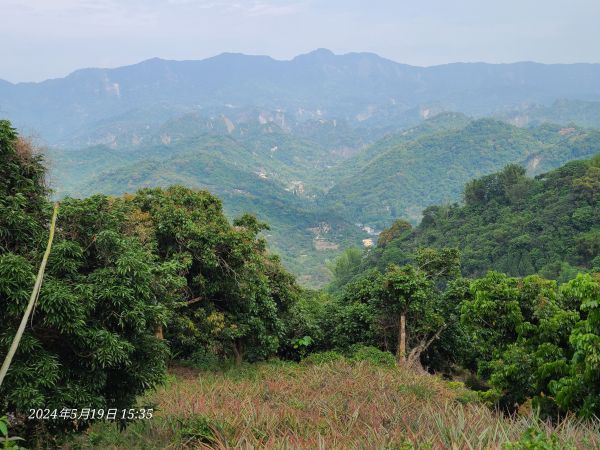
-
相關路線太平車籠山
緣起:
曾經以為python好雖好,但沒有適合我的實際的應用(很可能是我學不會如何應用),花時間學習python,似乎是浪費時間。
抓取照片的GPS位置,是工作除外,讓我覺得python程式,真的很有用。
雖然關鍵功能都是別人的模組提供,但拼湊出適合自己需求的程式,能重拾寫程式的樂趣,還是很高興。
因此花一些時間,做個紀錄,也給他人做個參考。
補充說明(2025_0511): IrfanView(Windows程式)本身就有透過exif資訊跳往Google Map的功能。步驟如下
在IrfanView開啟某帶有exif的照片,
功能表 Image/Information.../點按按鈕[EXIF info*] 跳出另一視窗,點按右下方按鈕[Show in Google Maps]
功能表 Image/Information.../點按按鈕[EXIF info*] 跳出另一視窗,點按右下方按鈕[Show in Google Earth]
需求:
照片檔案的 exif 資料包含 GPS 資料。
用Windows內建的檔案瀏覽介面,雖然可以看到照片檔的GPS資料,但無法直接複製出GPS資料。
想要直接複製照片的GPS資料,透過Google地圖,查出該照片對應的地理位置,該怎麼辦?
對策:
到網路查,有所謂的ImageMagick, ExifTool等工具可以使用。
不過,我接觸過一些Python。
透過一些模組,Python將照片檔的GPS資料(如果有的話)複製到剪貼簿內,應該不會太難。
所以就嘗試看看。
我查找網路後,寫了三個python程式。
一個是 get_gps_info.py,此程式用到的模組 PIL (Pillow), piexif(=1.1.3)
get_gps_info.py 被外部使用的函數為 get_gps (傳入jpg絕對檔名) 回傳字串=gps緯度+空格+gps經度,
緯度經度的gps字串存入 Excel後,可以直接複製出來,在google地圖上,貼入搜尋輸入框,就可以將地圖跳到該GPS位置。
一個是 get_gps_by_exif.py,此程式用到的模組 exif(=1.2.2)
get_gps_by_exif.py 被外部使用的函數為 image_gps_DMS (傳入jpg絕對檔名) 回傳字串=gps緯度+空格+gps經度,
緯度經度的gps字串存入 Excel後,可以直接複製出來,在google地圖上,貼入搜尋輸入框,就可以將地圖跳到該GPS位置。
主程式是 test-get-gps-info.py
模組 openpyxl 將GPS字串,照片檔絕對檔名,存入Excel檔案,方便日後有必要可以找出照片的GPS位置。
模組 tkinter 圖形介面,讓使用者可以選擇要取出GPS位置的照片檔的路徑位置。 兩個按鈕說明在下面第五行開始。
模組 pyperclip 可以將GPS位置的字串複製到剪貼簿內,讓使用者可以直接在google地圖上,貼入搜尋輸入框,就可以將地圖跳到該GPS位置。
模組 get_gps_by_exif 函數 image_gps_DMS 功能已在上面有說明。
模組 get_gps_info 函數 get_gps 功能已在上面有說明。(piexif能力較差,我的某些照片有GPS資料,piexif無法取出GPS資料,但exif可以)
一個按鈕,讓操作者 挑選 要查GPS的照片檔案,
取得檔案名稱後,呼叫 image_gps_DMS,該函式回傳GPS資料的字串,
透過模組 pyperclip 的方法copy 將GPS字串複製到剪貼簿內。
之後到google地圖,google地圖的搜尋輸入區,將GPS資料的字串貼入,就可以得知該照片的地理位置。
另一個按鈕,讓操作者 挑選 要查GPS的照片的目錄,
取得目錄名稱後,會將該目錄及子目錄內的jpg檔案,當為引數,傳入 image_gps_DMS,該函式回傳GPS資料的字串,
如果jpg檔案內含GPS訊息,就會將GPS訊息,圖檔案名稱,寫入Excel檔案,提供後續使用GPS的參考。
利用Excel檔案,同一列讀GPS資料,與照片檔案名稱,就可以用來查詢照片檔的拍照地理位置。
(利用 google地圖,google地圖的搜尋輸入區,將GPS資料的字串貼入,就可以得知該照片的地理位置。)
----- 測試的結果 ---------------
寫好的python,跑了一段時間。有GPS資料的居然>19000張。
自己的照片內的東南西北的極點,
23°39'xx"N(溪頭) ~ 24°29'11"N(銅鑼) 120°31'11"E(梧棲漁港)~121°0'41"E(大雪山木馬古道)
台南旅遊照,用爛手機拍的,沒有GPS資料.
設計python程式,意外發現便宜手機,照片竟也失去回溯地點的能力。
--> 很久沒有寫程式的樂趣了,這次用python抓照片的GPS資料,能重拾寫程式的樂趣。特別寫給大家參考。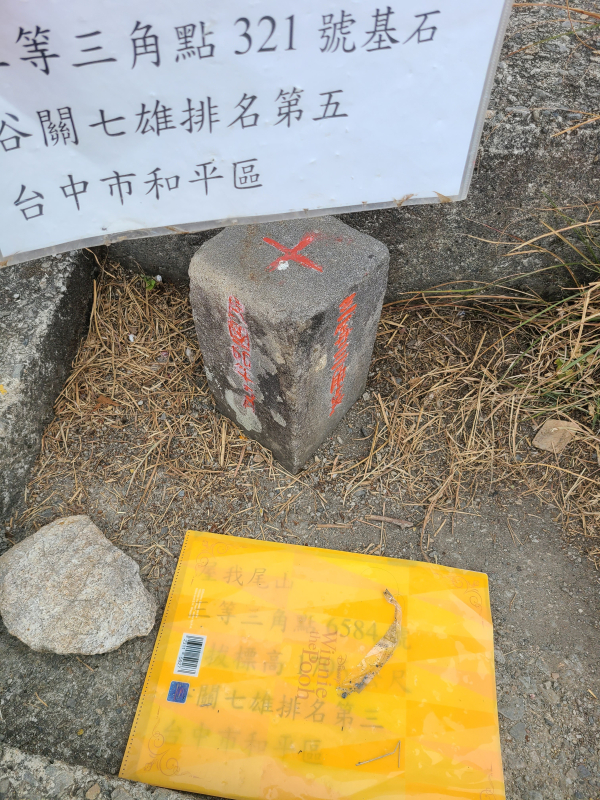 24°11'8.812679"N 120°57'28.21644"E 東卯山頂
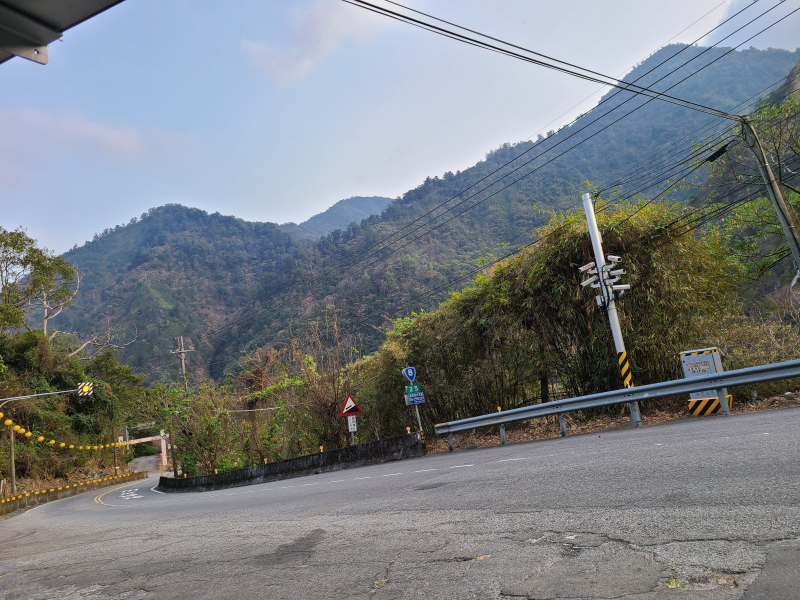 24°10'14.741039"N 120°56'29.61816"E 大道院公車站牌附近
 24°4'41.390759"N 120°32'53.44944"E 彰化大佛前
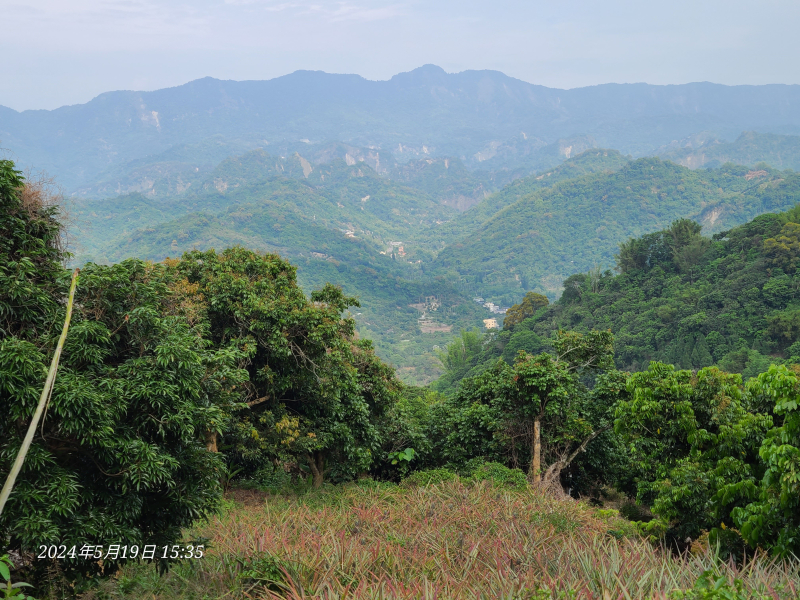 24°6'8.501759"N 120°45'6.71868"E 太平車籠山附近鳳梨田與山景
三個python程式在底下。
get_gps_by_exif.py 程式碼如下 -----------------
from exif import Image
from math import floor
def decimal_coords(coords, ref):
decimal_degrees = coords[0] + coords[1] / 60 + coords[2] / 3600
if ref == "S" or ref =='W' :
decimal_degrees = -decimal_degrees
return decimal_degrees
def image_coordinates(image_path):
with open(image_path, 'rb') as src:
img = Image(src)
if img.has_exif:
try:
img.gps_longitude
coords = (decimal_coords(img.gps_latitude,
img.gps_latitude_ref),
decimal_coords(img.gps_longitude,
img.gps_longitude_ref))
except AttributeError:
print ('No Coordinates')
else:
print ('The Image has no EXIF information')
return({"imageTakenTime":img.datetime_original, "geolocation_lat":coords[0],"geolocation_lng":coords[1]})
def DMS_coords(coords, ref):
DMS = str(floor(coords[0])) + '°' + str(floor(coords[1])) + "'" + str(coords[2]) + '"' + ref
return DMS
def image_gps_DMS(image_path):
latDMS = ""
longDMS = ""
with open(image_path, 'rb') as src:
img = Image(src)
if img.has_exif:
try:
img.gps_longitude
latDMS = DMS_coords(img.gps_latitude, img.gps_latitude_ref)
longDMS = DMS_coords(img.gps_longitude, img.gps_longitude_ref)
except AttributeError:
print ('No Coordinates')
else:
print ('The Image has no EXIF information')
return( latDMS + ' ' + longDMS )
get_gps_info.py 程式碼如下 -----------------
import sys
from pprint import pprint
from PIL import ExifTags, Image
import piexif
codec = 'ISO-8859-1' # or latin-1
def exif_to_tag(exif_dict):
exif_tag_dict = {}
try:
thumbnail = exif_dict.pop('thumbnail')
exif_tag_dict['thumbnail'] = thumbnail.decode(codec)
for ifd in exif_dict:
exif_tag_dict[ifd] = {}
for tag in exif_dict[ifd]:
try:
element = exif_dict[ifd][tag].decode(codec)
except AttributeError:
element = exif_dict[ifd][tag]
exif_tag_dict[ifd][piexif.TAGS[ifd][tag]["name"]] = element
except:
print('error in exif_to_tag(exif_dict)')
return exif_tag_dict
def get_gps(filename):
# filename = r'D:\照片\23_0408_高美濕地健行_看海\20230408_105653.jpg'
# filename = r'D:\照片\23_0319_東卯山3等內補321\20230319_134013.jpg'
im = Image.open(filename)
try:
exif_dict = piexif.load(im.info.get('exif'))
except:
print("error at exif_dict = piexif.load(im.info.get('exif'))")
szRet = ""
else:
exif_dict = exif_to_tag(exif_dict)
try:
lati_D, lati_M, lati_S = exif_dict['GPS']['GPSLatitude']
lati_DMS = str(lati_D[0]) + '°' + str(lati_M[0]) + "'" + str(lati_S[0] / lati_S[1]) + '"' + exif_dict['GPS']['GPSLatitudeRef']
## print(exif_dict['GPS']['GPSLatitudeRef'])
longi_D, longi_M, longi_S = exif_dict['GPS']['GPSLongitude']
longi_DMS = str(longi_D[0]) + '°' + str(longi_M[0]) + "'" + str(longi_S[0] / longi_S[1]) + '"' + exif_dict['GPS']['GPSLongitudeRef']
szRet = lati_DMS + " " + longi_DMS
## print(exif_dict['GPS']['GPSLongitudeRef'])
## pprint(exif_dict['GPS'])
except:
szRet = ""
return szRet
if __name__ == '__main__':
if len(sys.argv) < 2:
print('no argument')
sys.exit()
get_gps(sys.argv[1])
##else:
## filename = r'D:\照片\23_0319_東卯山3等內補321\20230319_134013.jpg'
## get_gps(filename)
test-get-gps-info.py 程式碼如下 -----------------
import tkinter as tk
from tkinter import ttk
from tkinter import filedialog as fd
from tkinter.messagebox import showinfo
from idlelib.tooltip import Hovertip
import os, time
import openpyxl
from get_gps_by_exif import image_gps_DMS
from get_gps_info import get_gps
import pyperclip
# create the root window
root = tk.Tk()
root.title('Tkinter Open File Dialog')
root.resizable(False, False)
root.geometry('600x300')
# You can use os.walk() to recursively iterate through a directory and all its subdirectories:
def save_gps_info_to_xlsx(szPath):
if os.path.isfile('./image_GPS_info.xlsx'):
wb = openpyxl.load_workbook('./image_GPS_info.xlsx')
sheet = wb.active
oldMaxMtime = sheet.cell(row=1, column=2).value
rowNum = sheet.max_row
else:
wb = openpyxl.Workbook()
oldMaxMtime = 0
rowNum = 1
newMaxMtime = oldMaxMtime
cntFileNoGPS = 0
cntOlderFiles = 0
for subdir, dirs, files in os.walk(szPath):
for file in files:
#print os.path.join(subdir, file)
filepath = subdir + os.sep + file
if (' ' not in filepath) and filepath.endswith(".jpg"):
mtime = os.path.getmtime(filepath)
if (oldMaxMtime < mtime):
# mtime of file > refenceTime(oldMaxMtime), try to get GPS.
## szGPS = get_gps(filepath)
szGPS = image_gps_DMS(filepath)
if (len(szGPS) > 10):
# GPS exist, save GPS to Excel sheet.cell(...)
rowNum += 1
sheet.cell(row=rowNum, column=1).value = szGPS
sheet.cell(row=rowNum, column=2).value = filepath
# update newMaxMtime if GPS saved and file mtime > newMaxMtime
if (newMaxMtime < mtime):
newMaxMtime = mtime
print (szGPS, filepath)
else:
cntFileNoGPS += 1
print(f"{cntFileNoGPS} , {filepath}")
else:
# mtime of file <= refenceTime(oldMaxMtime), no need to get GPS.
cntOlderFiles += 1
print(f"cntOlderFiles = {cntOlderFiles}")
obj1 = time.gmtime(newMaxMtime)
szMtime = time.strftime("%Y%m%d_%H%M%S", obj1)
sheet.cell(row=1, column=1).value = szMtime
sheet.cell(row=1, column=2).value = newMaxMtime
wb.save('image_GPS_info.xlsx')
def get_max_mtime(szPath):
## wb = openpyxl.Workbook()
## sheet = wb.active
cntFileNoGPS = 0
maxMtime = 0
for subdir, dirs, files in os.walk(szPath):
for file in files:
#print os.path.join(subdir, file)
filepath = subdir + os.sep + file
if (' ' not in filepath) and filepath.endswith(".jpg"):
## szGPS = get_gps(filepath)
szGPS = image_gps_DMS(filepath)
if (len(szGPS) > 10):
mtime = os.path.getmtime(filepath)
if (maxMtime < mtime):
maxMtime = mtime
else:
cntFileNoGPS += 1
print(f"{cntFileNoGPS} , {filepath}")
obj2 = time.gmtime(maxMtime)
print(obj2)
szMtime = time.strftime("%Y-%m-%d %H:%M:%S", obj2)
print(szMtime)
print(f"cntFileNoGPS = {cntFileNoGPS}")
def select_folder3():
szPath = fd.askdirectory(
title='Open a directory to get max modified time',
initialdir='/')
get_max_mtime(szPath)
def select_folder():
szPath = fd.askdirectory(
title='Open a directory',
initialdir='D:\\')
save_gps_info_to_xlsx(szPath)
def select_file():
filetypes = (
('JPG image files', '*.jpg'),
('All files', '*.*')
)
filename = fd.askopenfilename(
title='Open a file',
initialdir='D:\\',
filetypes=filetypes)
## szGPS = get_gps(filename)
szGPS = image_gps_DMS(filepath)
print(filename, szGPS)
pyperclip.copy(szGPS)
showinfo(
title='Selected File',
message=filename + "\nGPS=" + szGPS + "\n\nThe GPS info is copyed to clipborad."
)
print(f"image_gps_DMS( {filename} )")
ret = image_gps_DMS(filename)
print(ret)
# open button
myBtn = ttk.Button(
root,
text='Open a Folder',
command=select_folder
)
myBtn.pack(expand=True)
myTip = Hovertip(myBtn,'Open a Folder'
'\nTo get GPS info in JPG files.'
'\nAnd save GPS in Excel.')
# open button
myBtn2 = ttk.Button(
root,
text='Open a File',
command=select_file
)
myBtn2.pack(expand=True)
myTip2 = Hovertip(myBtn2,'Open a JPG File\nTo get GPS info in file.'
'\nThe GPS is copyed in clipboard.'
'\nPaste it in Google Map'
'\nTo know where the image locates.')
# open button3
myBtn3 = ttk.Button(
root,
text='Open a Folder to get max modified time',
command=select_folder3
)
myBtn3.pack(expand=True)
# run the application
root.mainloop()